

Itinerary planner
An itinerary planner that builds your trip day by day
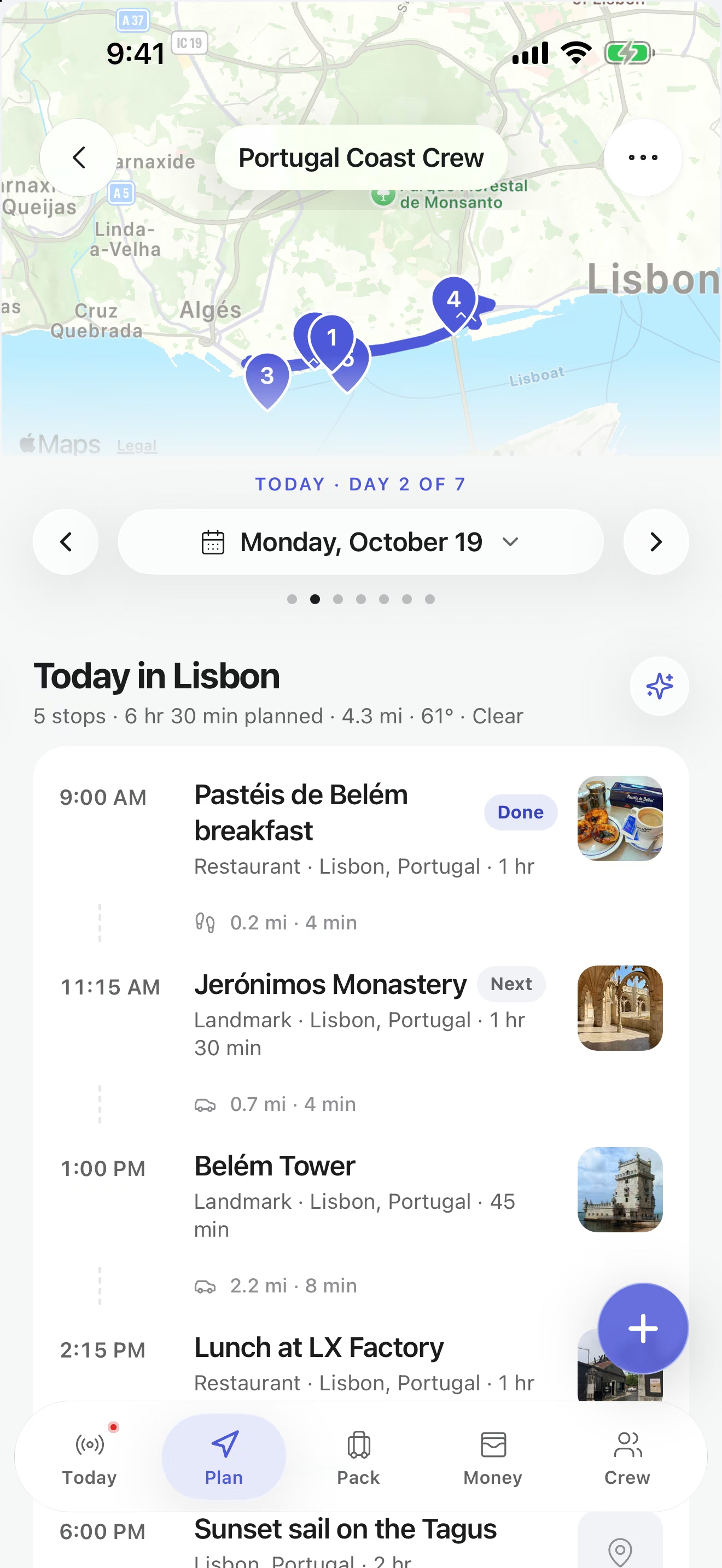
Turn a pile of saved places into a plan with days, times and details everyone can see. Each stop keeps its own address, notes, reservation details and transportation, so the confirmation number sits right next to the dinner it belongs to.
- Day-by-day plan, free
- Booking details on every stop
- 182 itineraries to copy
- Curated itineraries
- 182
- Itinerary lengths
- 3–12 days
- Places inside them
- 4,378
- Cost to build one
- $0
What makes an itinerary actually work
The best itineraries are not scheduled to the minute. They give each day one or two anchors, like a timed museum entry or a dinner booking, and leave room around them for the things you find along the way.
They also keep the practical details close. A plan that says “dinner, 8pm” is only half useful at 7:45 when nobody can find the address. In TripsCircle the details live on the stop itself, and everyone on the trip sees the same, current version.
Draft faster
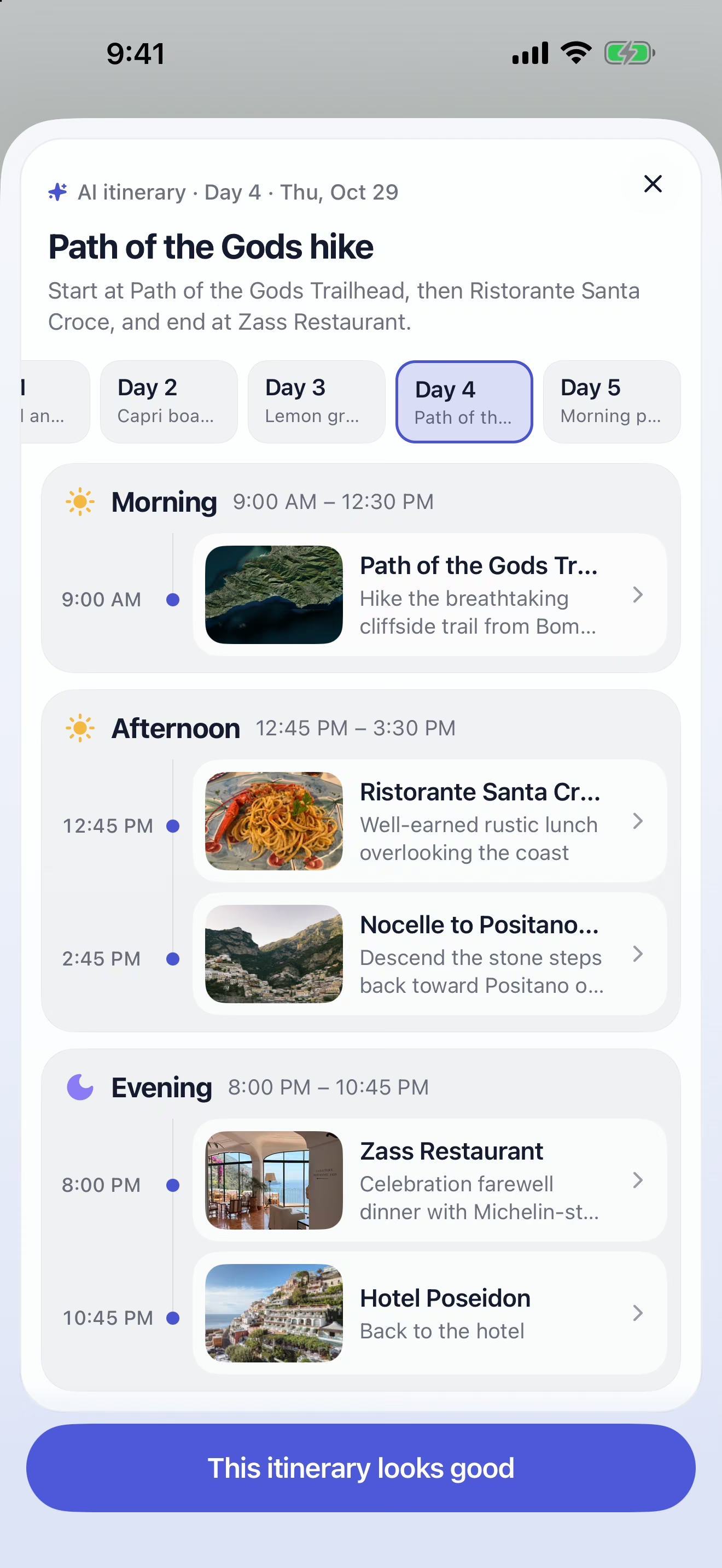
Let Trip Copilot write the first draft
With Premium, describe the destination, the length, your budget and your pace, and Trip Copilot drafts a day-by-day plan. It can replan a single day without starting over, fill gaps and suggest packing for the plan you end up with.
Every suggestion is a draft you review before applying. Check opening hours, bookings and prices with the venue before you go.
Plan together
One itinerary, the whole crew in it
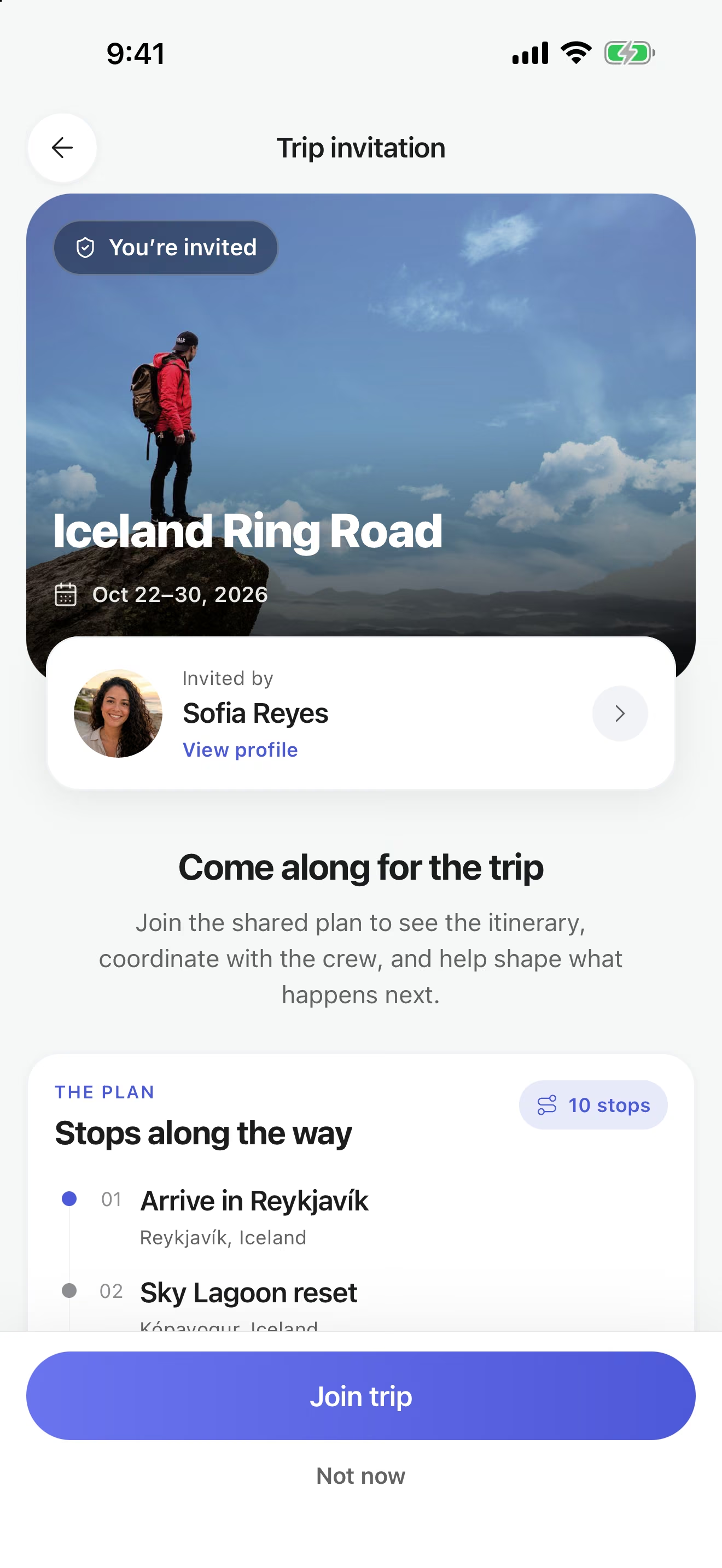
Invite the people you are traveling with and give them a role: editors help shape the plan, viewers follow along. When someone moves lunch to day three, everyone sees it, without anyone reposting the schedule.
Stuck between two options? Put them in a poll and add the winner to the day.
Travel day
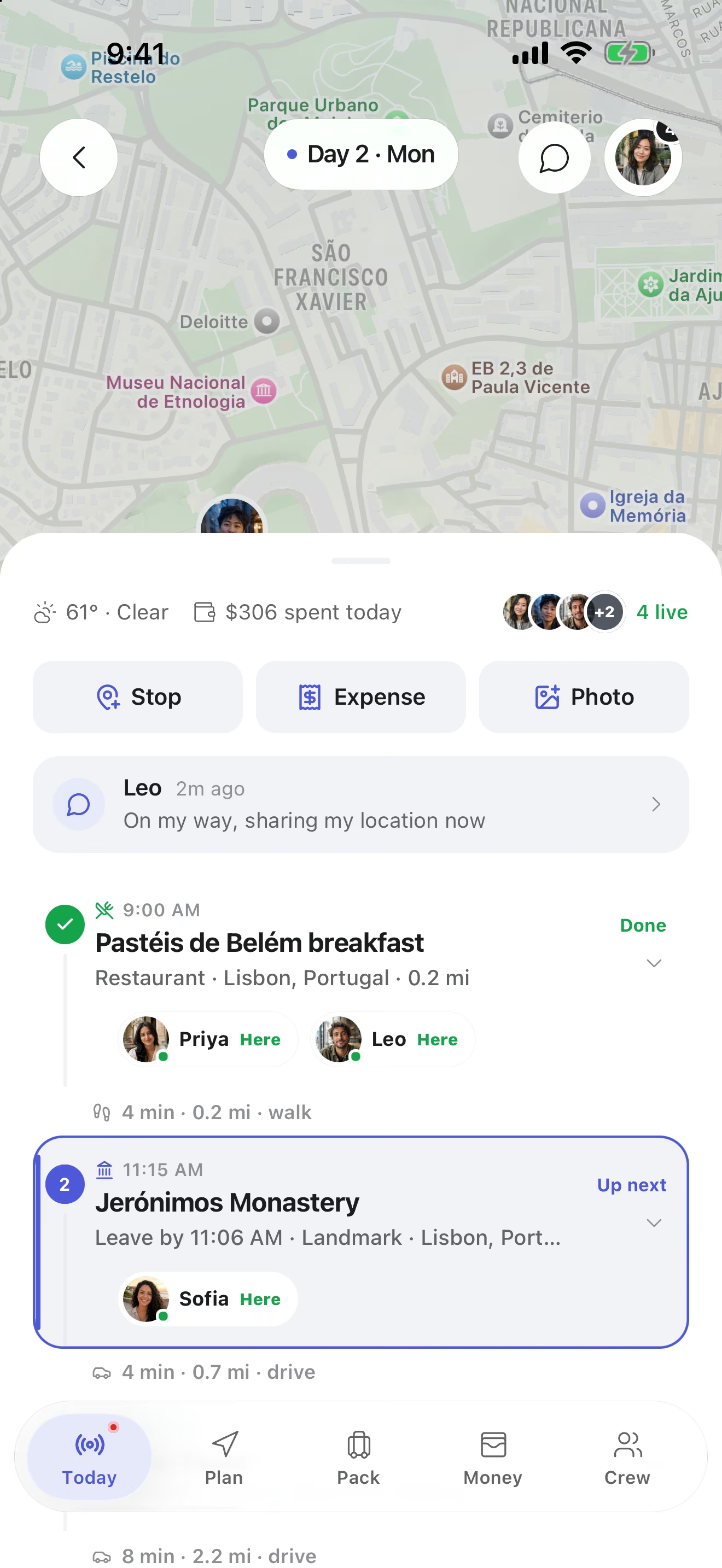
The itinerary becomes your day
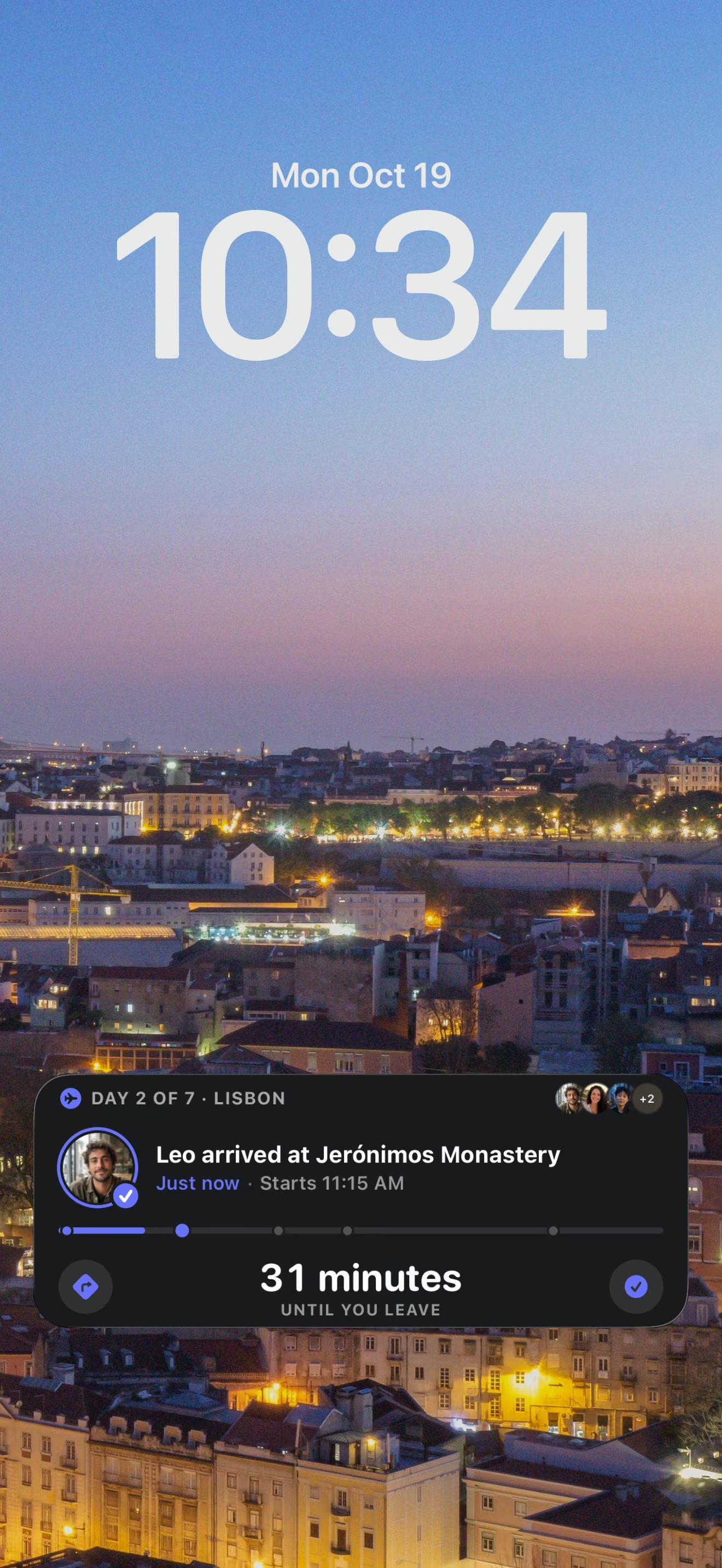
On a trip day, TripsCircle turns the plan into Today: the next stop, the weather and who is already there. On iPhone, a Live Activity keeps the day and how long until you leave on the Lock Screen.
Borrow a plan
Start from a proven route
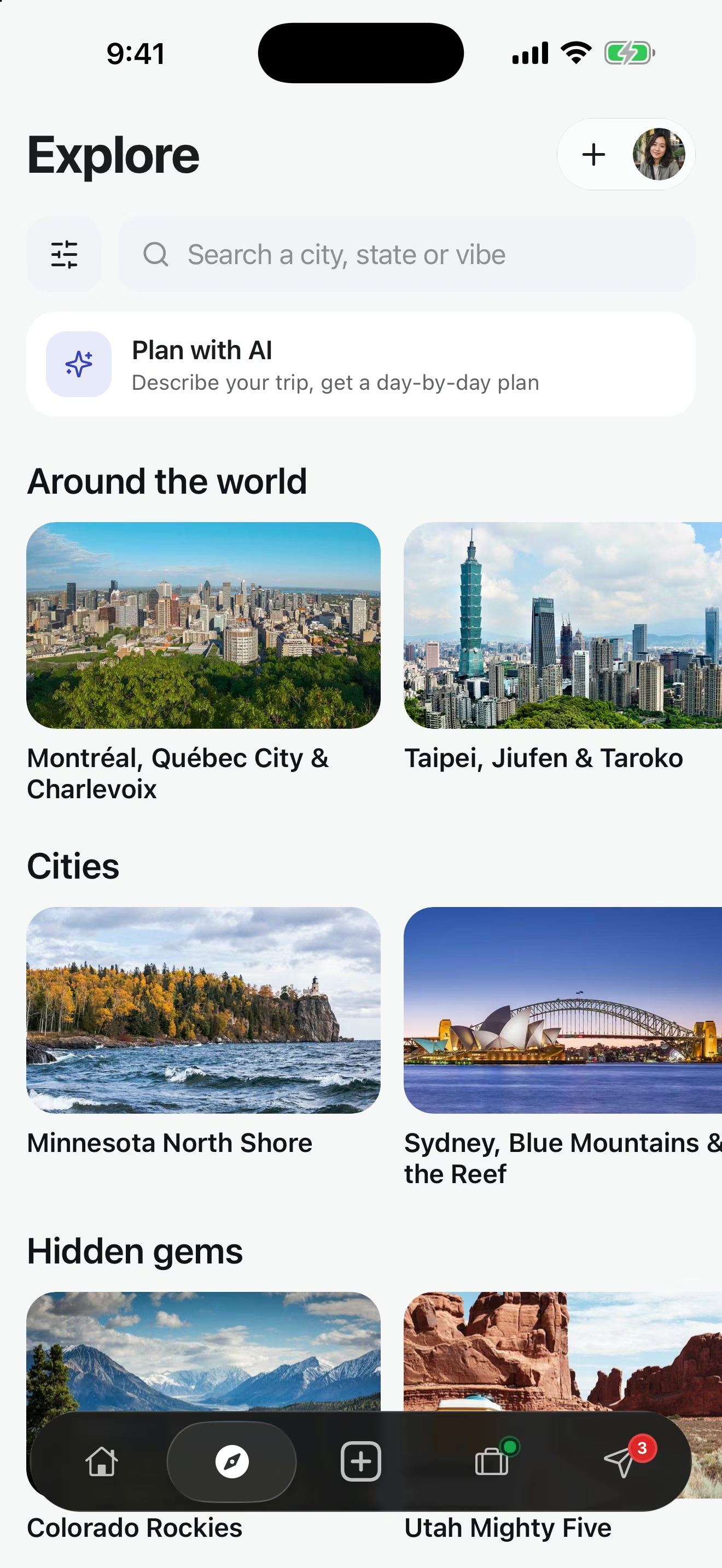
Explore holds 182 curated itineraries, each with a suggested length, the order of destinations, notable places and the best season. Open one in the app and it becomes your own editable trip.
Itineraries to copy, by trip length
Picked from our curated routes, with the stop count and season for each. Every card opens the full day-by-day route.
Long weekends 3 days or fewer · 51 routes
 Nightlife
Los Angeles After Dark
Rooftops, live music & late-night neighborhoods
 Nightlife
Nashville Music Weekend
Songwriter rooms, honky-tonks & neighborhood nights
 Culture
NYC Cultural Weekend
Art, food & iconic sights
About a week 4 to 7 days · 86 routes
 Adventure
Pacific Coast Highway
San Francisco to Los Angeles
 Beaches
Amalfi Coast Escape
Cliff towns & Tyrrhenian blue
 Wine
WineTuscany Hill Towns
Renaissance art, Chianti vines & cypress roads
Big trips 8 days or more · 45 routes


Check the weather before you fix the days
Monthly climate averages for destinations in the itineraries above, so you can pick dates that suit the plan. Places within 15 km of each other share one weather page.
- Los Angeles weather covers Downtown LA
- Hollywood weather covers West Hollywood
- Nashville weather covers Lower Broadway, The Gulch, East Nashville
- Manhattan weather covers Museum Mile
- New York City weather covers Brooklyn
- San Francisco weather
- Monterey & Carmel weather
- Big Sur weather
- San Simeon weather
- Santa Barbara weather
- Sorrento weather
- Amalfi weather covers Positano
How to build an itinerary in TripsCircle
Create the trip
Tap Create, enter the destination and dates, and choose Solo or Group.
Add stops to days
Open Plan and add each stop to the day it belongs to. Reorder whenever plans shift.
Attach the details
Open a stop to add the time, address, notes, reservation or confirmation details and transportation.
Bring the crew in
Invite travelers as editors or viewers so the plan stays current for everyone.
Share it outward
Publish a read-only page for family or friends who are not coming. Revoke it any time.
Itinerary features
Shared itineraryFree
Stops on the right day with times, addresses, notes, reservation details and transportation. Reorder as plans move.
Trip CopilotPremium
Describe the trip and get a day-by-day draft, a replanned day or packing ideas. Drafts are yours to check and edit.
Crew invites and rolesFree
Invite by friend search, email or a link. Editors help plan, viewers follow along. Up to 10 people per trip on Free, 50 on Premium.
Polls
Settle dates, dinners and detours with a vote. A public poll link lets people vote from a browser without an account.
Curated routes
182 hand-built routes with a suggested length, stop order and best season, ready to open as an editable trip.
Live trip day
A Today view with the next stop, plus a live map of the crew for friends who choose to share their location.
Read-only trip pagesFree
Publish a trip page anyone can open in a browser. Private notes, expenses and exact live locations stay out, and you can revoke it.
Packing listsFree
Personal and shared lists with owners, progress and templates, so the group brings one speaker, not four.
Solo trips too
Choose Solo when you create a trip and get the same planning, budget, packing and map tools.
Free and Premium labels follow the pricing page. Premium is $4.99 per month or $39 per year in the U.S., with a 7-day free trial for new subscribers.
More ways to plan with TripsCircle
Itinerary planning questions
How do I build an itinerary in TripsCircle?
Open a trip and choose Plan. Add a stop to the right day, then open it to add a time, address, notes, reservation details or transportation. You can reorder stops and open directions in your maps app when an address is available.
Where should I keep booking confirmations?
On the itinerary item they belong to. Each stop holds reservation or confirmation details next to its time and address, so the details are where you need them on the day.
Can my friends edit the itinerary?
Yes, if you invite them as editors. Viewers can follow the plan with fewer editing permissions. The trip owner manages roles from Group.
Can AI create an itinerary for me?
Trip Copilot, included with Premium, can draft a day-by-day itinerary from a short conversation, replan a day and fill gaps. AI plans are a starting point: confirm opening hours, reservations, prices and local conditions before you travel. Premium is $4.99 per month or $39 per year in the U.S. with a 7-day free trial for new subscribers.
Can I copy a ready-made itinerary?
Yes. Explore has 182 curated routes from 3 to 12 days. Each one opens in TripsCircle as an editable trip you can change and share with your crew.
Can I share an itinerary with someone who does not use TripsCircle?
Yes. Publish a read-only trip page that opens in any browser without an account. Private notes, expenses and exact live locations are not included, and you can revoke the link.
Does the itinerary planner work for solo trips?
Yes. Choose Solo when you create the trip to get the same planning, budget, packing, photo and map tools without crew invitations or group chat.
More itineraries
- Barcelona, Girona & the Costa Brava 9 days
- Buenos Aires, Mendoza & Iguazú 11 days
- Colombia: Coffee to Caribbean 12 days
- Dublin to the Wild Atlantic Way 9 days
- Fairbanks, Talkeetna & Anchorage 8 days
- Golden Triangle & Rajasthan 11 days
- Greek Island Hop 9 days
- Iceland Ring Road 10 days
Popular destinations
Turn saved places into a real plan
Download TripsCircle, add your first stops to day one, and invite whoever is coming. Building the itinerary is free.