

Travel planner app
A travel planner app that lives on your iPhone
TripsCircle keeps the whole trip in your pocket: today’s plan, where your friends are, what you owe and what is still unpacked. Friends without the app can still open a shared trip, a poll or a Who’s down? card in any browser.
- iPhone app on the App Store
- Free to download and plan
- Live Activities on the Lock Screen
- Platform
- iPhone · App Store
- Free plan
- $0
- Premium (U.S.)
- $4.99/mo or $39/yr
- Free trial
- 7 days, new subscribers
Built for the phone you already travel with
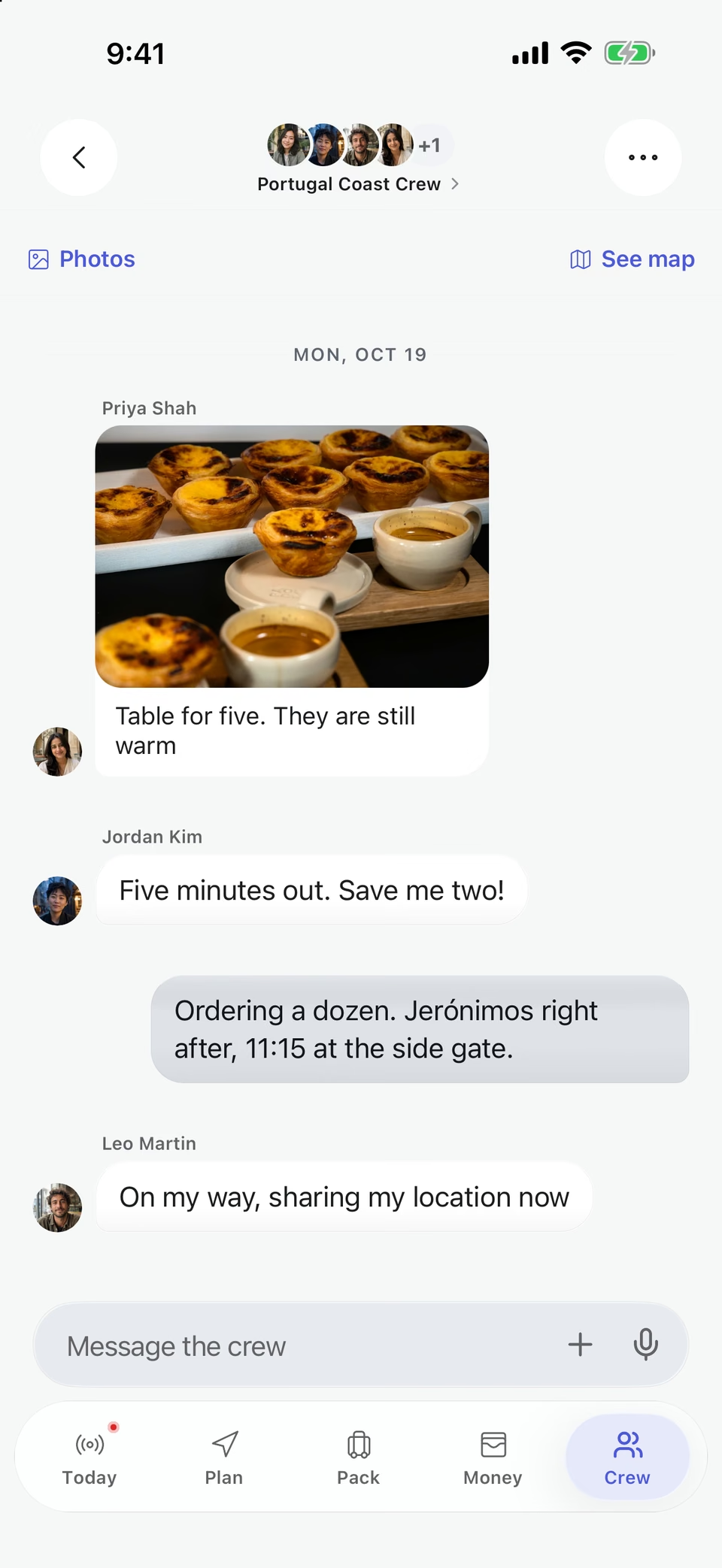
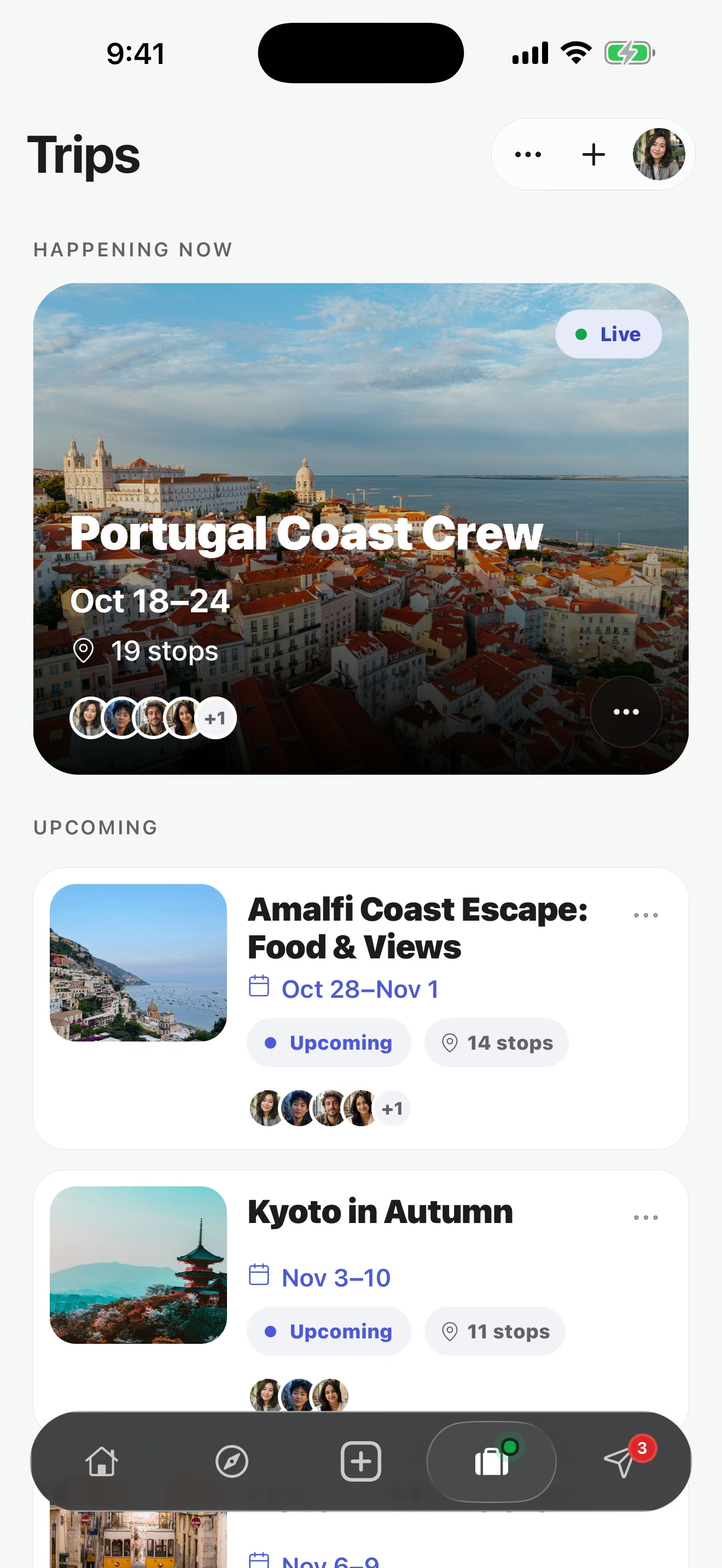
Trip planning happens at a desk, but the trip happens on your phone: at a train platform, in a taxi line, at a table for eight wondering who ordered what. TripsCircle is designed for those moments, with the next stop, the crew and the costs a tap away.
Lock Screen
Your next stop without unlocking
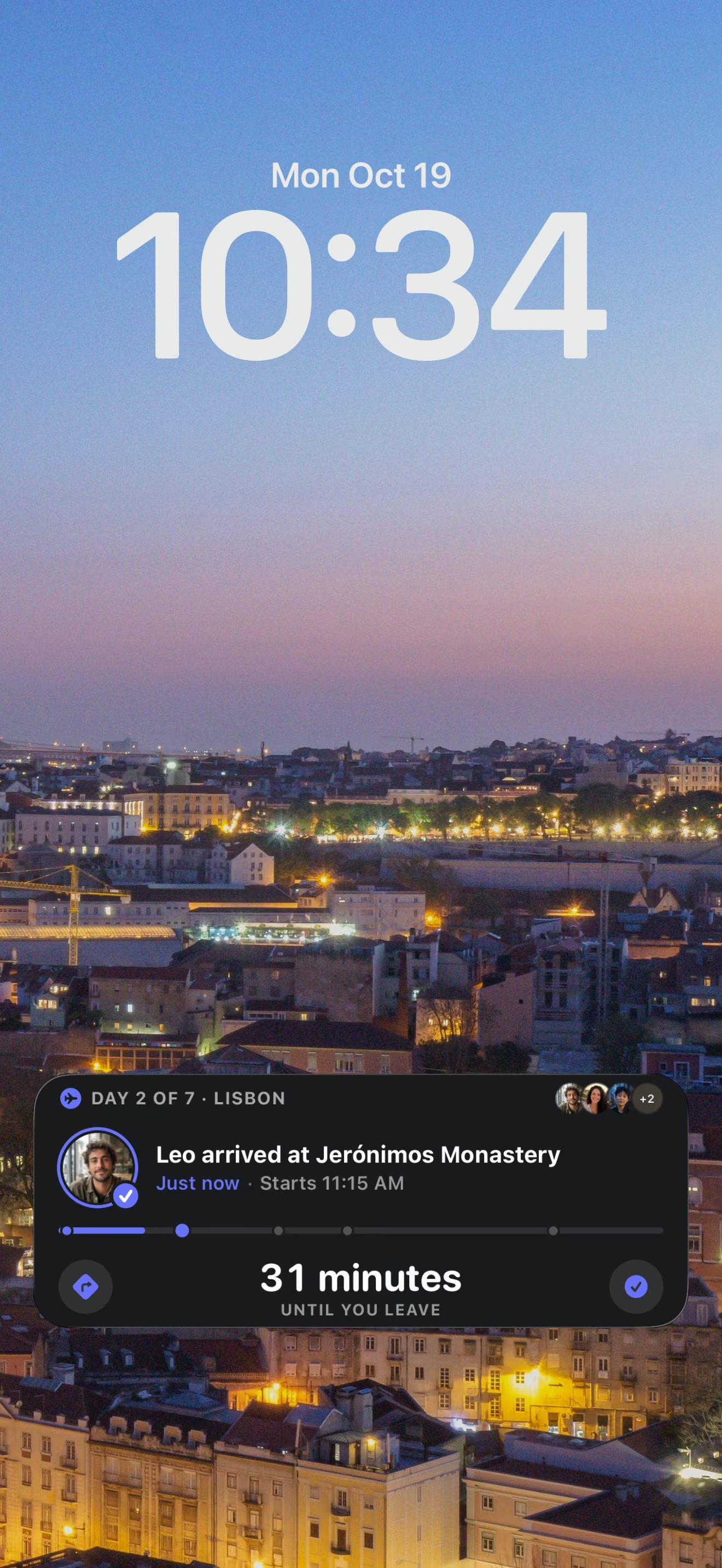
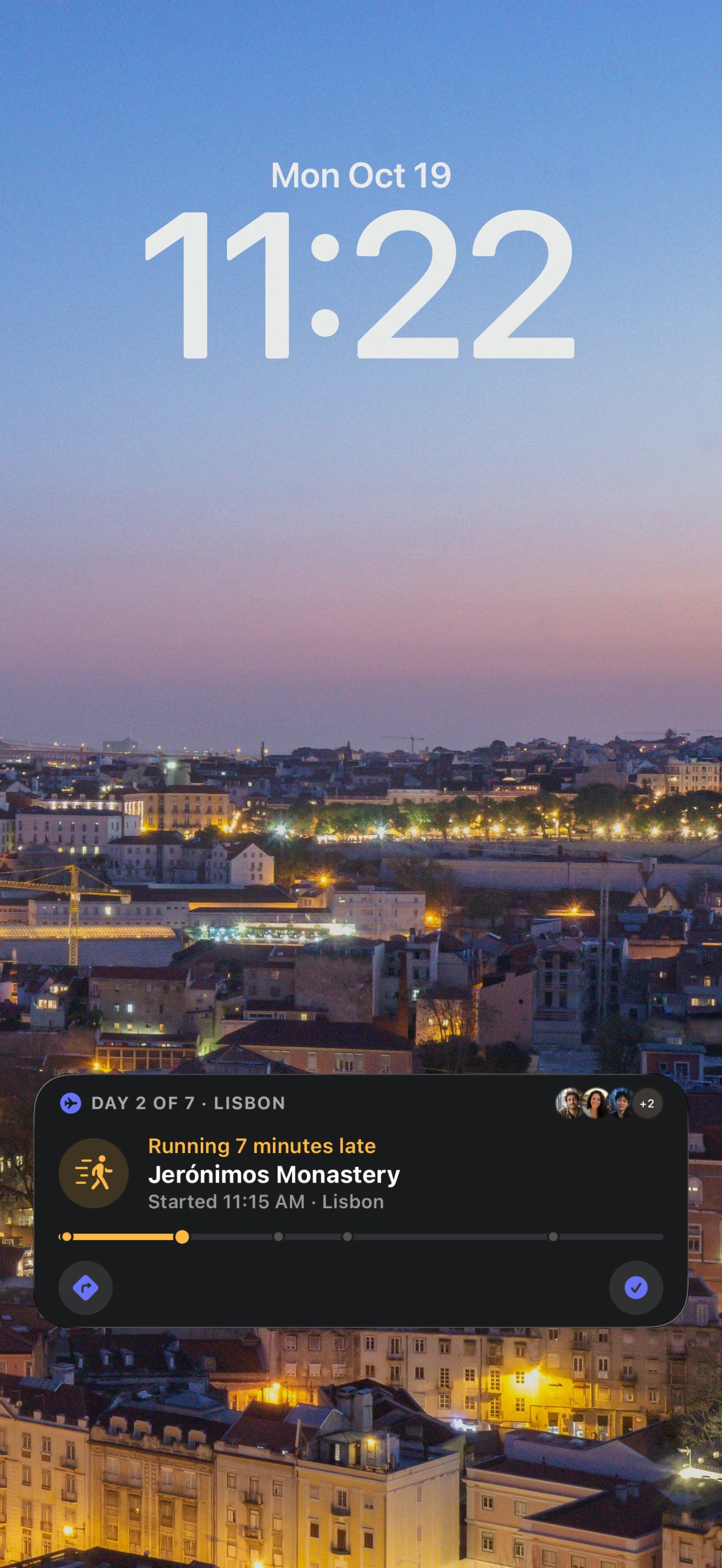
During a trip, a Live Activity shows the day of the trip, the next stop and how long until you leave, and it tells you when you are running late. When a friend arrives, it shows that too.
Today
The whole day at a glance
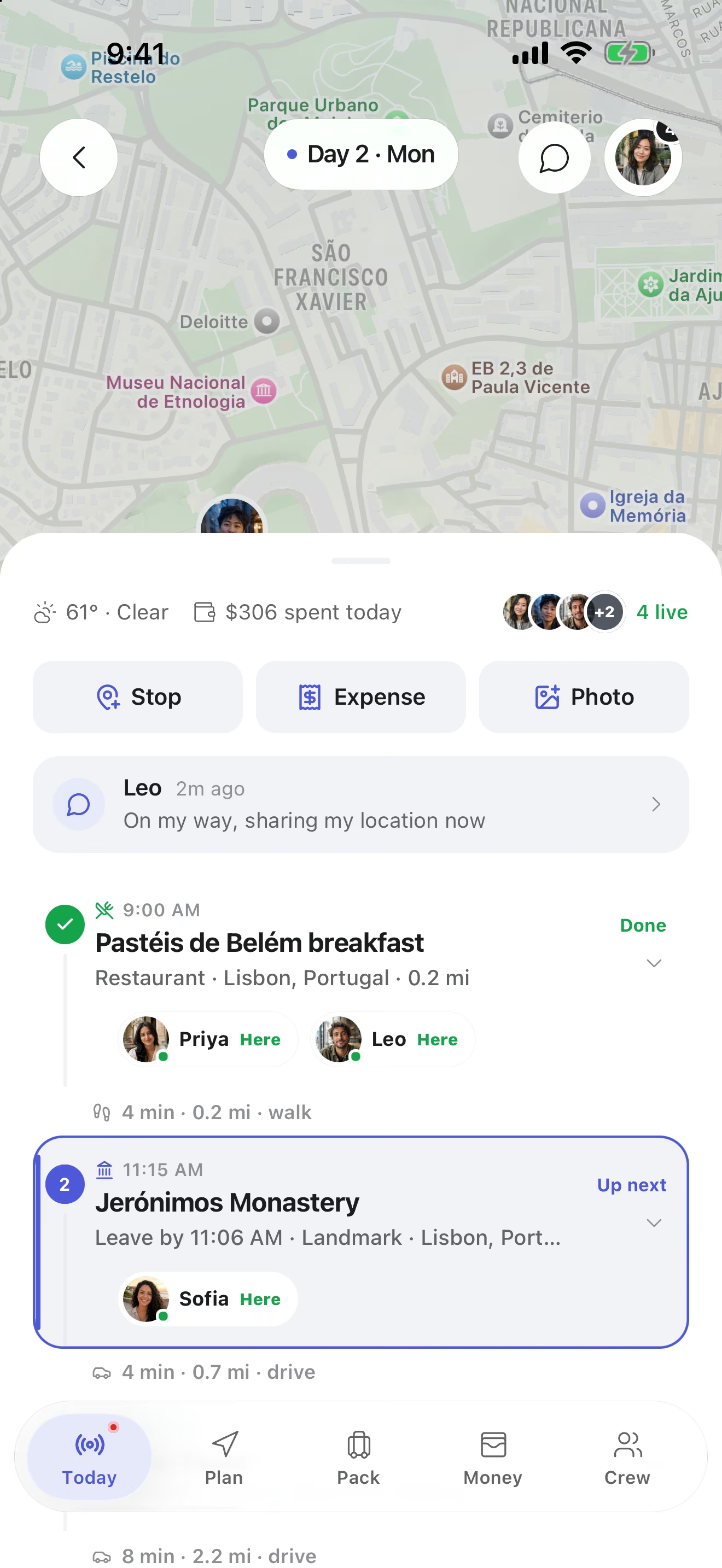
On a trip day the app opens to Today: the next stop, the weather, what the group has spent so far and which friends are already there. The live map shows crew members who choose to share their location.
Heads-up
Notifications that are worth getting
Choose which push and email updates you want in Settings. Each trip can also turn on alerts for weather, safety and flight updates, and the app reminds the crew when packing items or tasks still need attention before you leave.
Inspiration
Trip ideas in your pocket
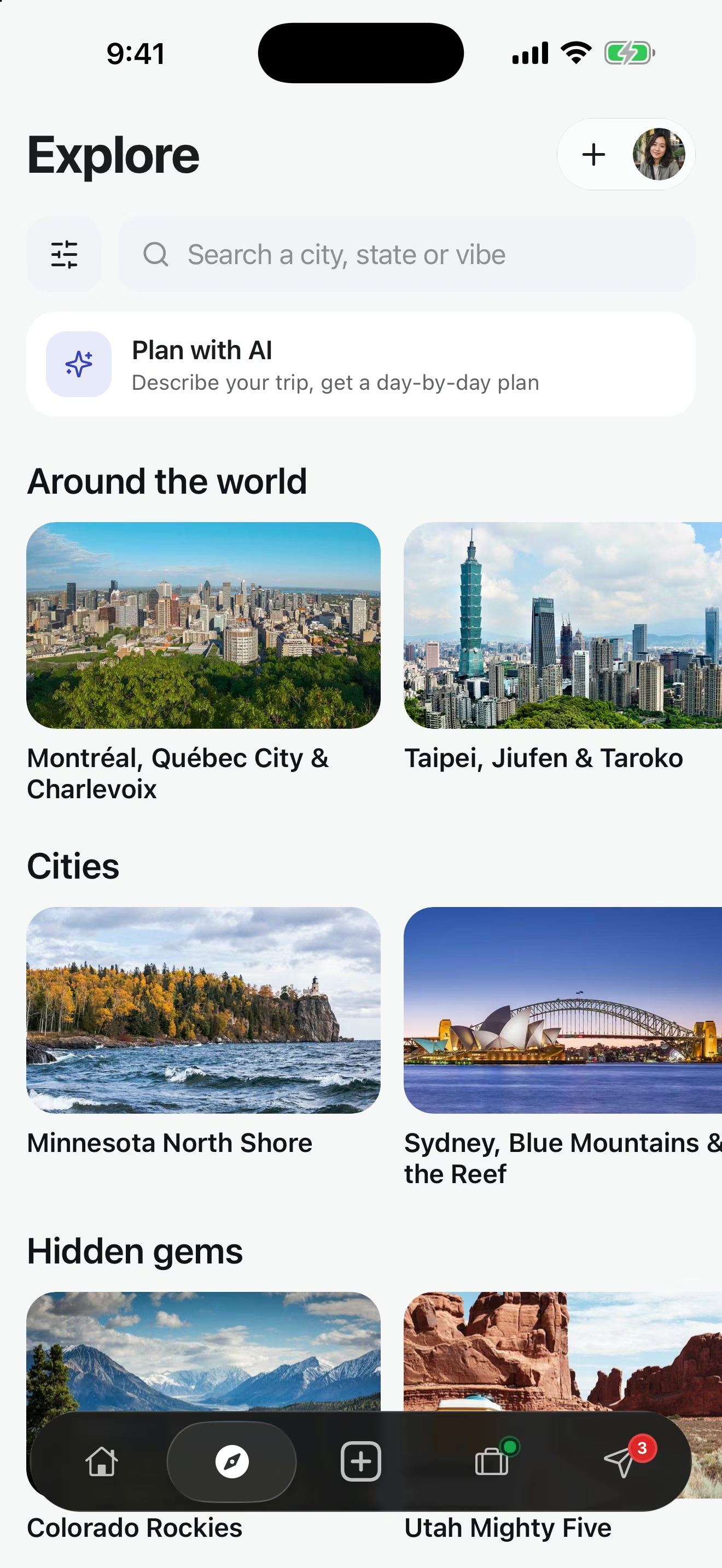
Explore puts 182 curated routes on your phone, with a suggested length, stop order and best season for each. Tap Plan with AI to start from a conversation instead (Trip Copilot is part of Premium).
What works in the app and what works in a browser
You need the iPhone app to plan. The people you plan with can do a surprising amount from a link.
| What the trip needs | iPhone app | Any browser |
|---|---|---|
| View a shared trip page | Yes | Yes, no account needed |
| Vote on a Who’s down? card | Yes | Yes, no signup needed |
| Vote in a public poll | Yes | Yes, no account needed |
| Preview a trip invitation | Yes | Yes, then join in the app |
| Edit the itinerary and chat | Yes | No |
| Log expenses and settle up | Yes | No |
| Live map and Live Activities | Yes | No |
Get started in a few minutes
Download TripsCircle
Get the free app from the App Store on your iPhone.
Create your first trip
Tap Create, add where and when, and choose Solo or Group.
Invite the crew
Share an invite link in your group chat. Friends can preview the trip in a browser before joining.
Plan and go
Add stops, costs and packing, then let Today and Live Activities carry you through the trip.
Inside the app
Live Activities
The current day, the next stop and who has arrived, right on the iPhone Lock Screen.
Live trip day
A Today view with the next stop, plus a live map of the crew for friends who choose to share their location.
Trip alerts
Optional weather, safety and flight updates for each trip, on top of the push and email settings you pick.
Trip chat
The conversation lives inside the trip, next to the plan it is about, instead of in a separate thread.
Shared itineraryFree
Stops on the right day with times, addresses, notes, reservation details and transportation. Reorder as plans move.
Expense splittingFree
Log who paid and who shares each cost: equal, custom or personal. Settle up suggests a small set of payments.
Packing listsFree
Personal and shared lists with owners, progress and templates, so the group brings one speaker, not four.
Trip photos
A shared gallery per trip: 30 photos on Free, 500 on Premium.
Travel Atlas
Completed trips become a personal map with countries, cities, distance and a yearly recap. Basic is free; Premium adds filters and deeper stats.
Trip CopilotPremium
Describe the trip and get a day-by-day draft, a replanned day or packing ideas. Drafts are yours to check and edit.
Free and Premium labels follow the pricing page. Premium is $4.99 per month or $39 per year in the U.S., with a 7-day free trial for new subscribers.
Open a route on your phone
One curated route from each part of the world. Each page hands off to the app, where the route becomes an editable trip.
 Adventure
Pacific Coast Highway
San Francisco to Los Angeles
 Beaches
Amalfi Coast Escape
Cliff towns & Tyrrhenian blue
 Wine
WineBuenos Aires, Mendoza & Iguazú
Tango nights, Malbec country and giant falls
 Culture
Golden Triangle & Rajasthan
Delhi, the Taj, Jaipur forts and Udaipur lakes
 Adventure
Jordan: Petra, Wadi Rum & the Dead Sea
Amman, the Rose City, red desert and salt sea
 National parks
Kenya & Tanzania Safari
Maasai Mara, Serengeti and Ngorongoro Crater
 National parks
South Island Alps & Fiords
Fiords, peaks & long walks
 Nature
Banff & Jasper Loop
Canadian Rockies icefields
 Adventure
Costa Rica Pura Vida
Volcanoes, cloud forest & Pacific beaches
More ways to plan with TripsCircle
Travel planner app questions
Which devices does TripsCircle run on?
TripsCircle is available for iPhone on the App Store. Shared trip pages, Who’s down? cards, public polls and invitation previews also open in any web browser, so friends can look and vote before installing anything.
Is the TripsCircle app free?
Yes. Downloading the app and planning trips with a crew of up to 10 is free. Premium is optional at $4.99 per month or $39 per year in the U.S., with a 7-day free trial for new subscribers.
How is Premium billed, and can I cancel?
Premium is billed through the App Store and renews until you cancel. You can cancel any time from your Apple ID subscriptions, and Premium stays on until the end of the period you paid for.
What does the app show on my Lock Screen?
During a trip, a Live Activity shows the trip day, the next stop, how long until you leave, and updates such as a friend arriving or the group running late.
Can I control notifications?
Yes. Open Settings, choose Notifications, and select the push and email updates you want. Individual trips also have trip alerts for weather, safety and flight updates. Push alerts need notification permission turned on for the app on your device.
Does opening an invite link join me to a trip automatically?
No. An invitation page shows who invited you and what the trip looks like. You decide whether to join, and joining happens in the app.
Can I export or delete my data?
Yes. Open Settings and choose Export My Data to prepare an export. To delete your account, open Settings, choose Security, then Delete Account. If you cannot access the app, use the account deletion page on tripscircle.com.
Routes around the world
- Guadalajara, Tequila & Puerto Vallarta Mexico
- NYC Cultural Weekend United States
- Grand Canyon & Arizona United States
- Miami Beach Getaway United States
- Hawaii Paradise United States
- Colorado Rockies United States
- New England Fall Foliage United States
- Las Vegas & National Parks United States
Popular destinations
Put the whole trip in your pocket
Download TripsCircle for iPhone. It is free to plan, and your friends can follow along from any browser.