

Group trip planner
Plan a group trip without the group-chat chaos
TripsCircle gives your crew one shared trip: the day-by-day plan, the votes, the costs, the packing and the trip day itself. Everyone works from the same version, so nobody has to scroll back through the chat to find the check-in time.
- Free for crews up to 10
- Polls friends can answer in a browser
- Costs split as you go
- Planning together
- $0 on Free
- Crew size on Free
- Up to 10 people
- Crew size on Premium
- Up to 50 people
- To view a shared trip
- Just a browser
Why group trips stall
Group trips rarely fall apart over the destination. They stall in the gaps: dates nobody confirmed, a spreadsheet only one person updates, an “I’ll pay you back later” that quietly never happens, three speakers in the car and no sunscreen.
TripsCircle closes those gaps by giving every part of the trip a home and every open task an owner. The plan, the decisions and the money sit in one trip that the whole crew can see and help shape.
Get everyone in
From “who’s down?” to a crew that’s actually coming
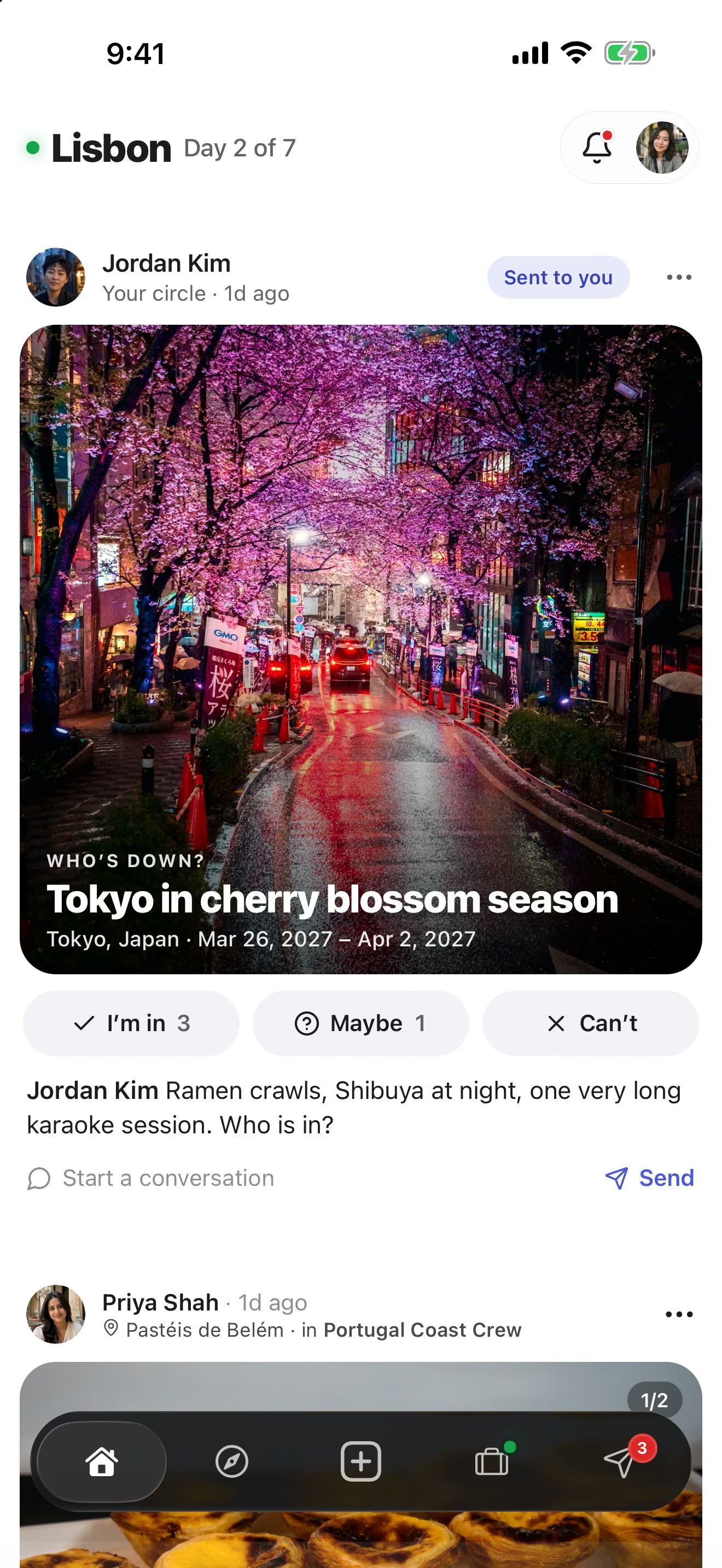
Before a trip even exists, pitch the idea as a Who’s down? card. Friends tap Must do, Maybe or Skip from their browser, no signup needed, and you can see who is really interested.
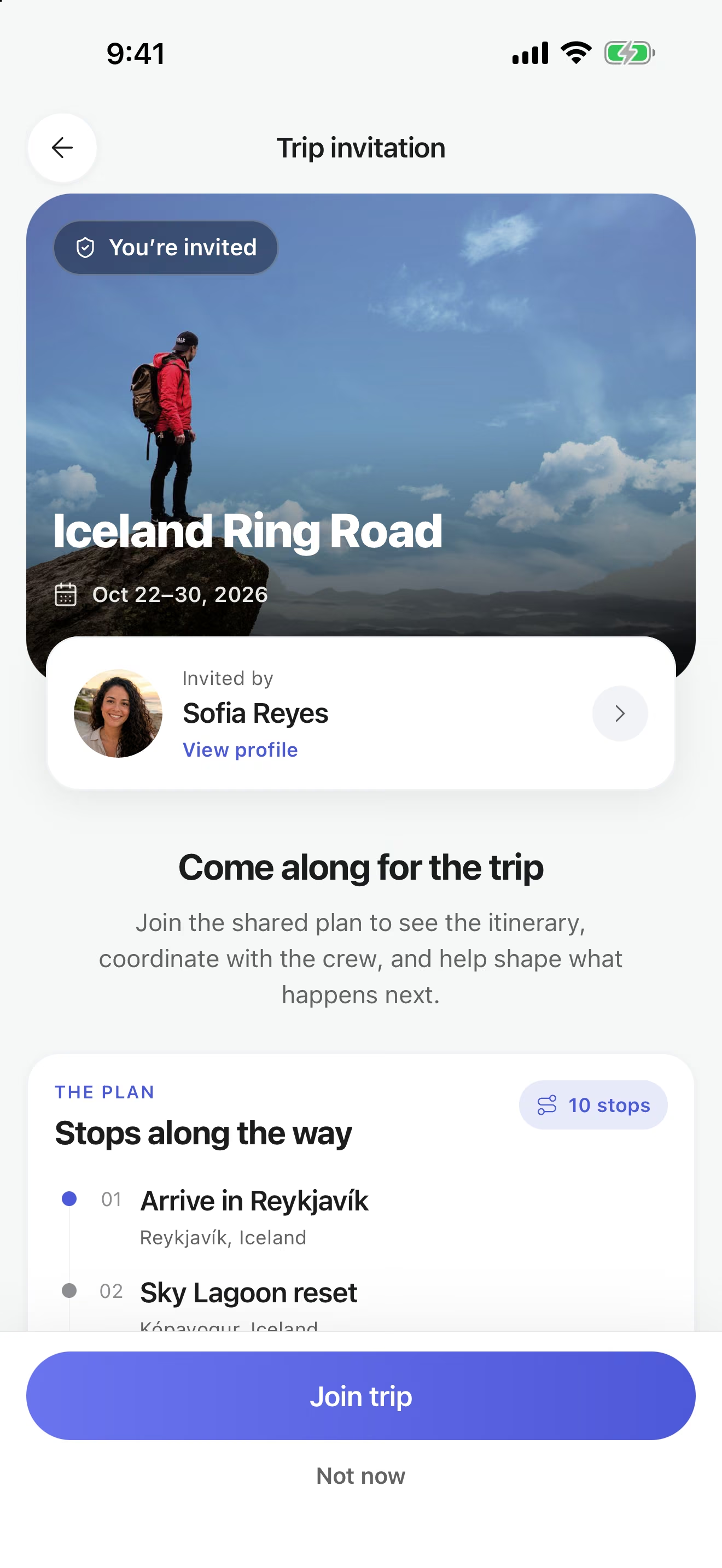
When it is a go, invite the crew by friend search, email or a link you drop into the group chat you already use. The invite page shows the trip, the dates and the first stops, and opening it never joins anyone automatically.
Decide together
Polls instead of endless unread messages
Put the open question to a vote: which weekend, which rental, which restaurant on the last night. Polls can be single or multiple choice, the organizer can close voting, and results can stay hidden until it closes so nobody just follows the crowd.
Share a public poll link and even friends who have not installed the app can vote from a browser. Once it is decided, the answer goes into the shared itinerary everyone sees.
Share the costs
Money that adds up without the awkward math
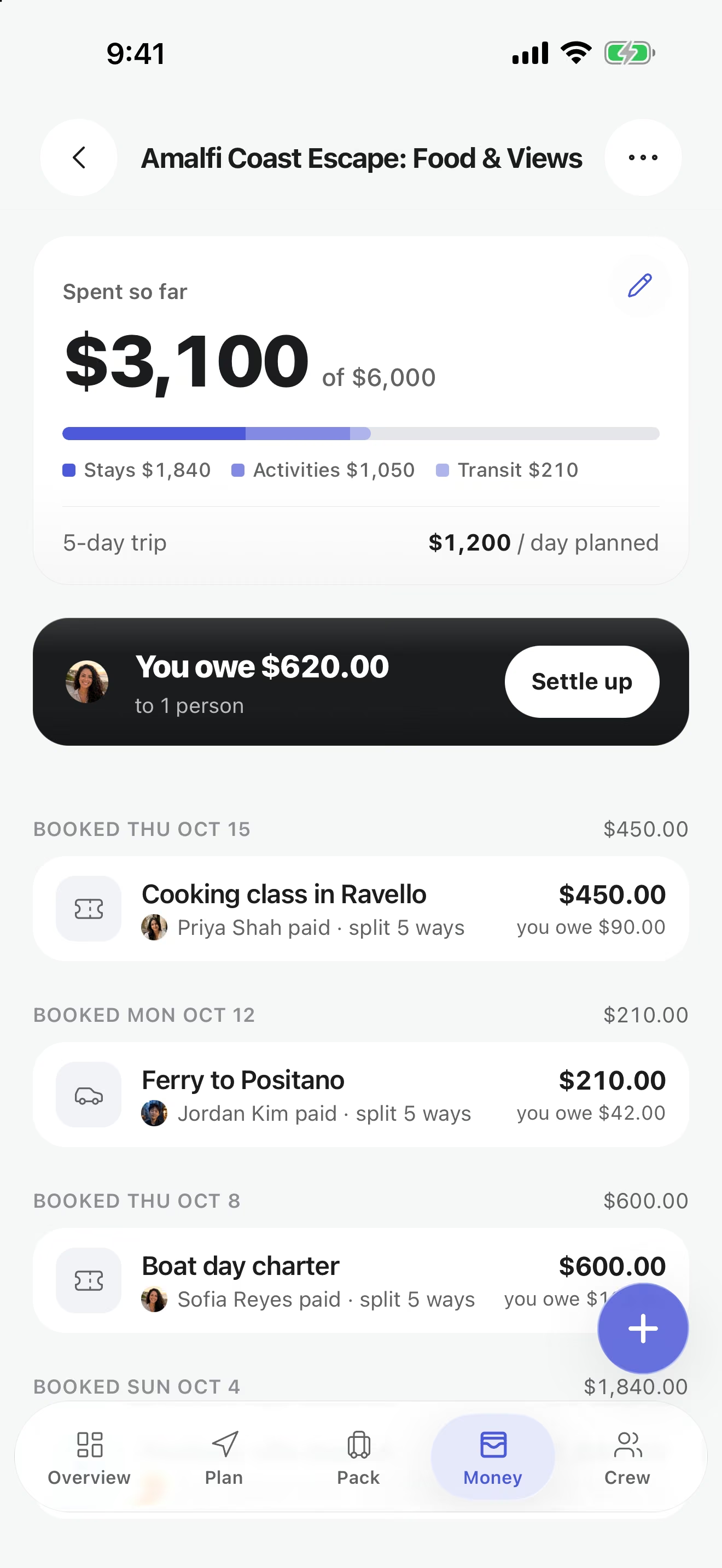
Log each expense with who paid and who shares it: split equally, enter custom shares, or keep a personal purchase out of the group balance. Set a trip budget and watch spending against it.
When it is time to square up, Settle up works out a small set of payments from the recorded expenses. The money itself moves in whatever app your group already uses, and crew members can add Venmo or Cash App handles to their profile to make that quicker.
Pack once
Packing lists with names on them
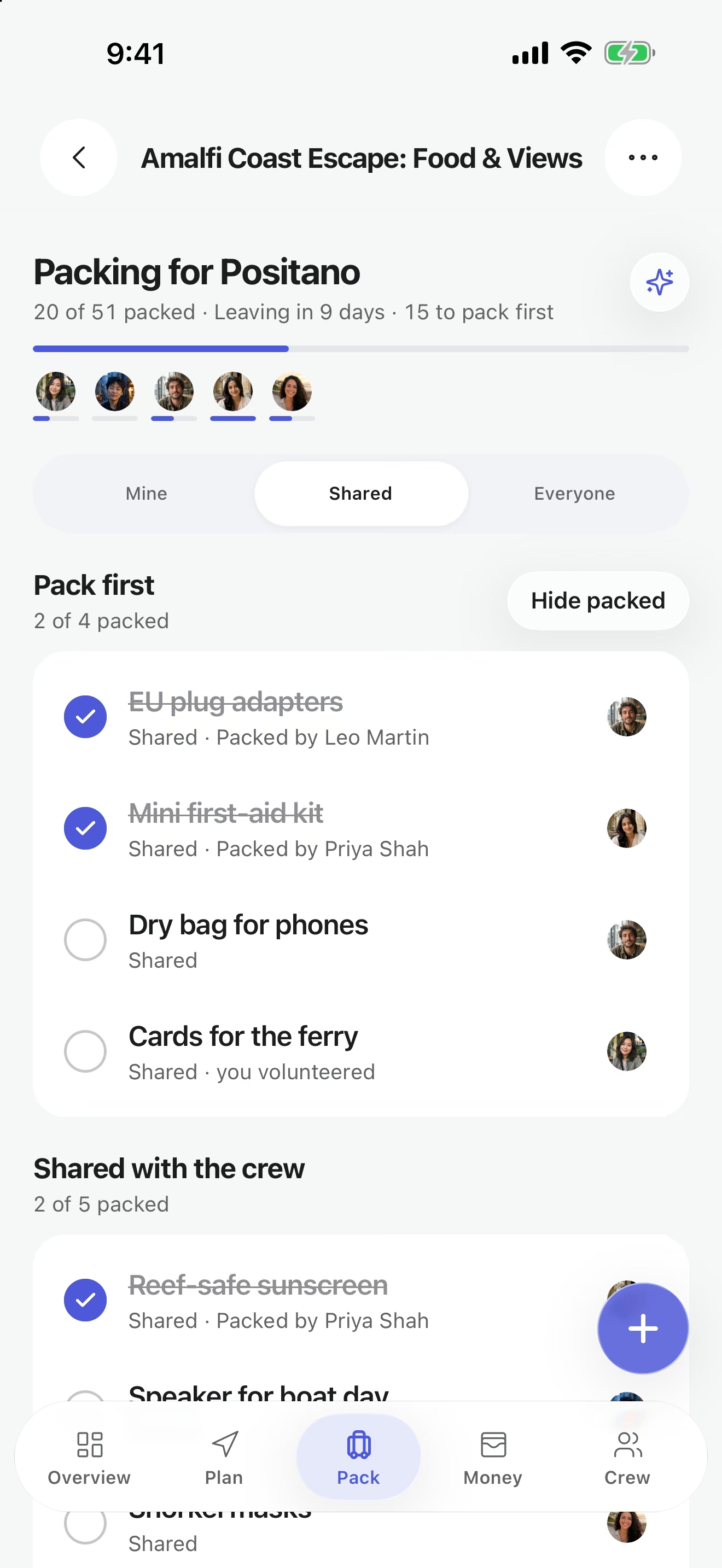
Everyone keeps a personal list, and the crew shares one for the things only one person needs to bring. Each shared item shows who has it covered, so the cooler, the adapter and the first-aid kit all have an owner.
On the trip
Know where everyone is, without asking
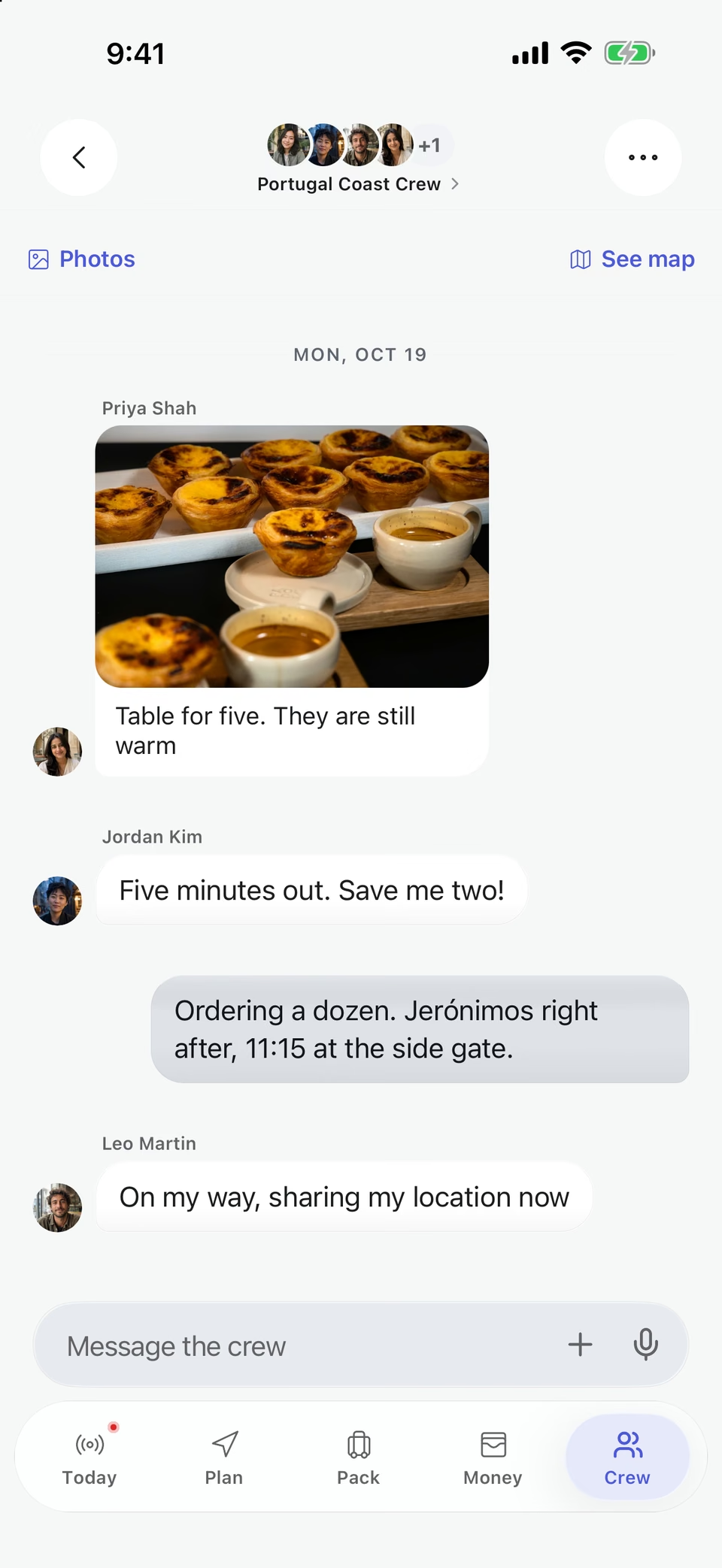
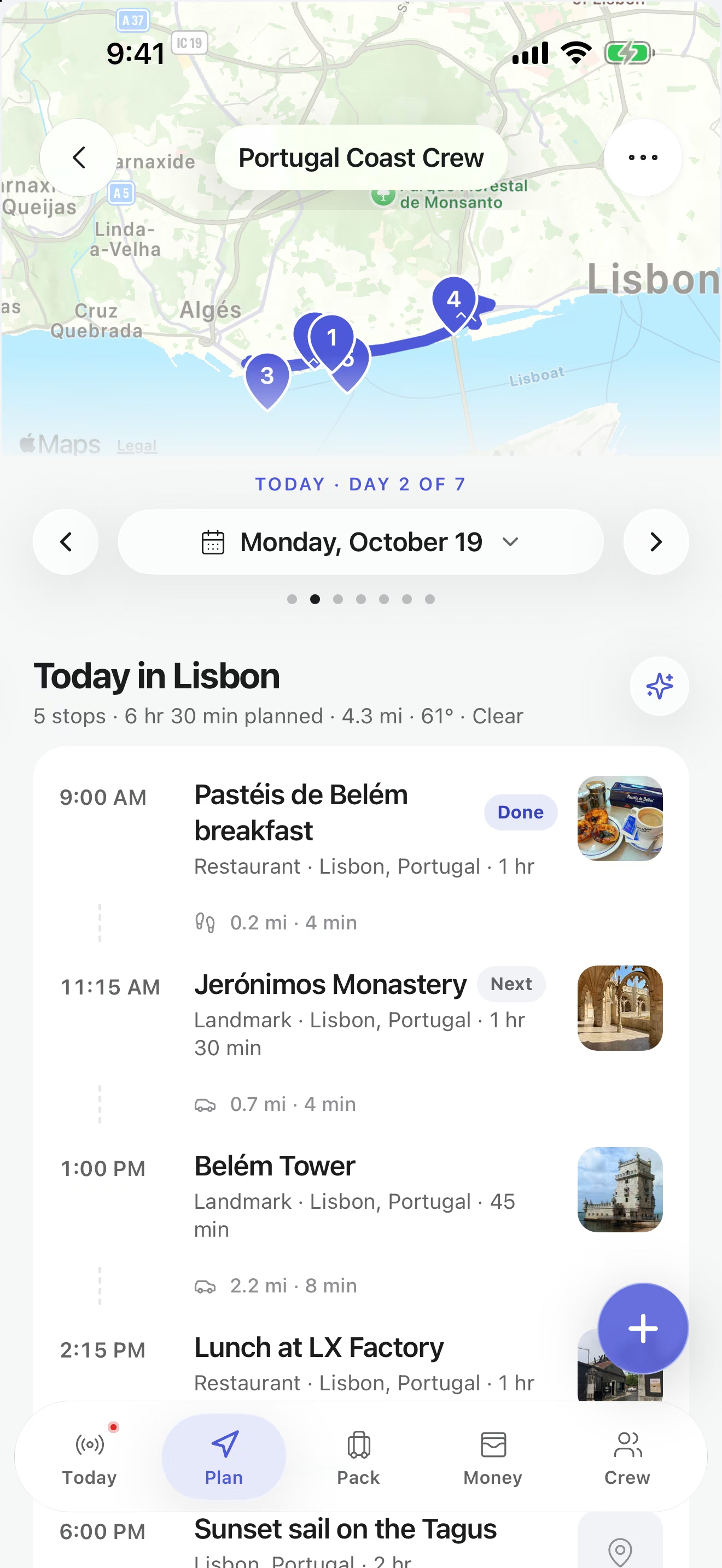
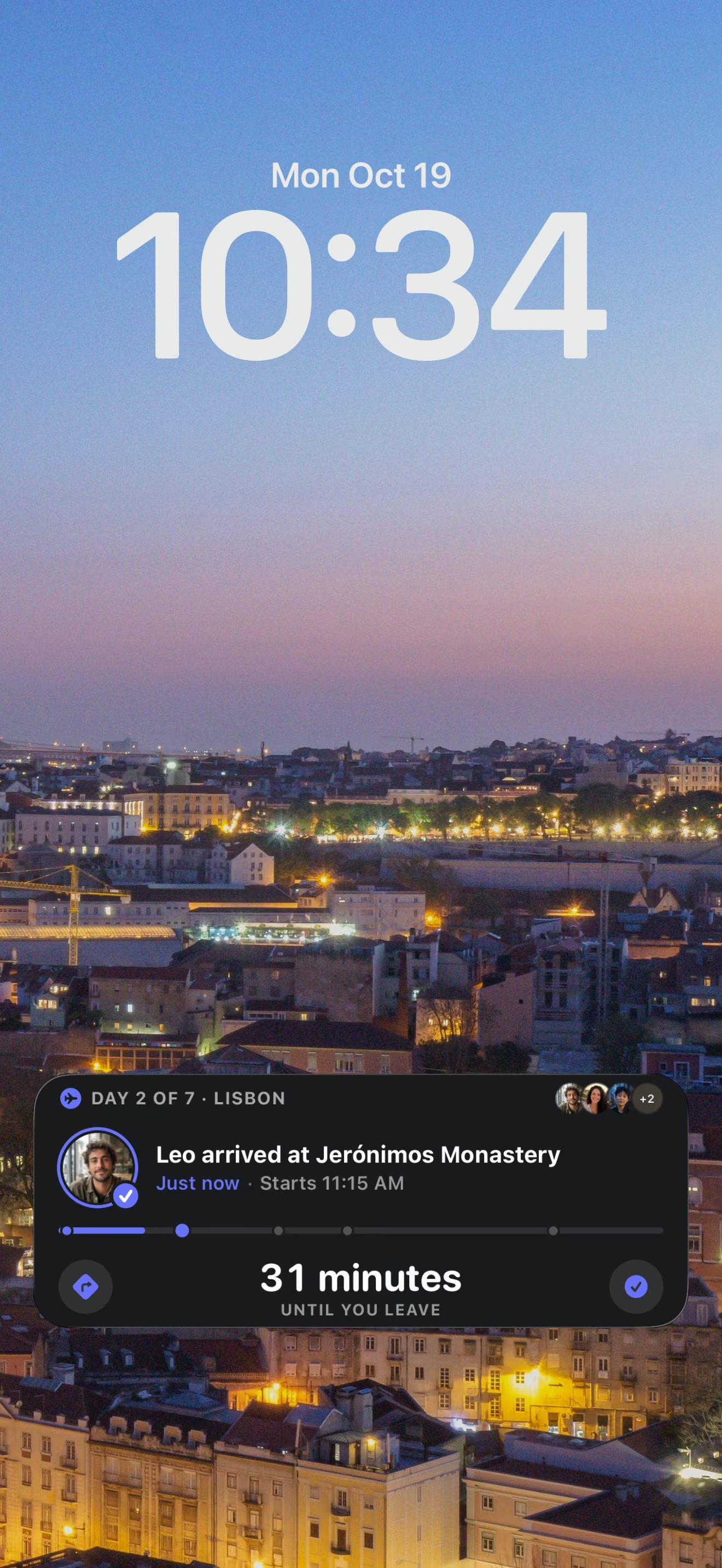
During the trip, the Today view shows the next stop and the day’s plan, and a live map shows friends who choose to share their location. On iPhone, a Live Activity puts the day, the next stop and who has arrived on the Lock Screen.
TripsCircle vs spreadsheets and group chats
Spreadsheets and chats are great at what they were built for. A group trip needs a few things neither does on its own.
| What the trip needs | TripsCircle | Spreadsheet | Group chat |
|---|---|---|---|
| One plan everyone edits | Shared itinerary with editor and viewer roles | Possible, if someone keeps it tidy | Plans get buried as the chat scrolls |
| Making decisions | Polls, with public links for non-users | Manual tallies | Emoji reactions and lost threads |
| Who paid and who owes | Splits, balances and a settle-up plan | Formulas you maintain yourself | Screenshots of receipts |
| Packing and tasks | Shared items with an owner each | A separate tab, if anyone opens it | Reminders that scroll away |
| During the trip | Today view, live map and Live Activities | Not built for it | Location pins and “where are you?” |
| Showing people outside the crew | Revocable read-only trip page | Share access to the whole file | Forwarded messages |
How group trip planning works in TripsCircle
Create the trip
Tap Create, then work through Where, Details, Dates, Extras and Review. Choose Group, and TripsCircle can save a draft if you stop halfway.
Invite your crew
Add friends, invite by email or share an invite link. Free trips hold up to 10 people including you; Premium goes up to 50.
Settle the big questions
Run polls for dates, stays and must-dos, and turn the winners into plan items.
Build the plan together
Editors add stops to each day with times, addresses, booking details and transportation.
Split costs and packing
Log expenses as they happen and claim shared packing items before anyone buys duplicates.
Travel, then share the story
Use the Today view on the road, then publish a read-only trip page for anyone who missed it.
Everything your crew can use
Shared itineraryFree
Stops on the right day with times, addresses, notes, reservation details and transportation. Reorder as plans move.
Crew invites and rolesFree
Invite by friend search, email or a link. Editors help plan, viewers follow along. Up to 10 people per trip on Free, 50 on Premium.
Polls
Settle dates, dinners and detours with a vote. A public poll link lets people vote from a browser without an account.
Who’s down?
Pitch a trip idea as a card. Friends tap Must do, Maybe or Skip in their browser, no signup needed.
Trip chat
The conversation lives inside the trip, next to the plan it is about, instead of in a separate thread.
Expense splittingFree
Log who paid and who shares each cost: equal, custom or personal. Settle up suggests a small set of payments.
Packing listsFree
Personal and shared lists with owners, progress and templates, so the group brings one speaker, not four.
Live trip day
A Today view with the next stop, plus a live map of the crew for friends who choose to share their location.
Read-only trip pagesFree
Publish a trip page anyone can open in a browser. Private notes, expenses and exact live locations stay out, and you can revoke it.
Trip CopilotPremium
Describe the trip and get a day-by-day draft, a replanned day or packing ideas. Drafts are yours to check and edit.
Trip photos
A shared gallery per trip: 30 photos on Free, 500 on Premium.
Shared bucket list
Collect travel ideas with friends, vote and react, then turn the winner into a trip.
Free and Premium labels follow the pricing page. Premium is $4.99 per month or $39 per year in the U.S., with a 7-day free trial for new subscribers.
Group-friendly trips to start from
Each route is a curated starting point. Open one in the app and it becomes an editable trip your crew can change. Browse all 182 on Explore.
 Nightlife
Nashville Music Weekend
Songwriter rooms, honky-tonks & neighborhood nights
 Nightlife
New Orleans & Gulf Coast
Jazz, creole food & bayous
 Weekend escapes
Smokies Weekend
River towns, old-growth forest & mountain roads
 Beaches
Amalfi Coast Escape
Cliff towns & Tyrrhenian blue
 Scenic drives
Iceland Ring Road
Waterfalls, black sand & glacier lagoons
 Beaches
Greek Island Hop
Ferries, whitewashed villages & caldera sunsets
 Wine
WineCalifornia Wine Country
Napa, Sonoma & Healdsburg pours
 Beaches
Miami Beach Getaway
Sun, sand & tropical vibes
 Culture
Japan Golden Route
Tokyo, Kyoto & Osaka classics
Destinations with the most to do
Destination guides list the places our curated routes include, a good base for your first poll.


More ways to plan with TripsCircle
Group trip planning questions
How do I plan a group trip with friends in TripsCircle?
Create a trip and choose Group, then invite friends by search, email or an invite link. Use polls to settle dates and plans, build the itinerary together in Plan, log shared expenses in Budget, and split packing so every shared item has an owner.
How many people can join a group trip?
On the free plan a trip holds up to 10 people, including the owner. Premium allows larger crews of up to 50 people.
Do my friends need the app?
Not to look or vote. Shared trip pages, Who’s down? cards and public poll links open in any browser without an account. To edit the plan, chat, split costs or share a live location, friends join the trip in the TripsCircle app for iPhone.
How does splitting costs work?
Add an expense with the amount, who paid and who shares it. Splits can be equal, custom or personal. Settle up calculates a small set of payments from the recorded expenses; the payment itself happens outside TripsCircle, for example through Venmo or Cash App handles crew members add to their profile.
Can some people view the plan without being able to change it?
Yes. Editors can update the shared trip and viewers can follow the plan with fewer editing permissions. The owner manages roles and can transfer ownership from Group.
Is the group trip planner free?
Yes. Shared trips and itineraries, expenses, packing lists and crews of up to 10 are free. Premium is $4.99 per month or $39 per year in the U.S. with a 7-day free trial for new subscribers, and adds Trip Copilot, larger crews, bigger photo galleries and more.
What stays private when I share our trip?
A public trip page shows only the snapshot prepared for publication. Private notes, expenses, payment information, account details and precise live locations are left out, and you can revoke the link at any time.
Trips for groups
- Nashville Music Weekend 3 days
- New Orleans & Gulf Coast 5 days
- Smokies Weekend 4 days
- Amalfi Coast Escape 6 days
- Iceland Ring Road 10 days
- Greek Island Hop 9 days
Popular destinations
Get the crew in one place
Download TripsCircle, create the trip and send the invite link to your group chat. Planning together is free.